


CyberGaugeMSME
SELF-ASSESSMENT TOOL FOR INDIA's MSMEs
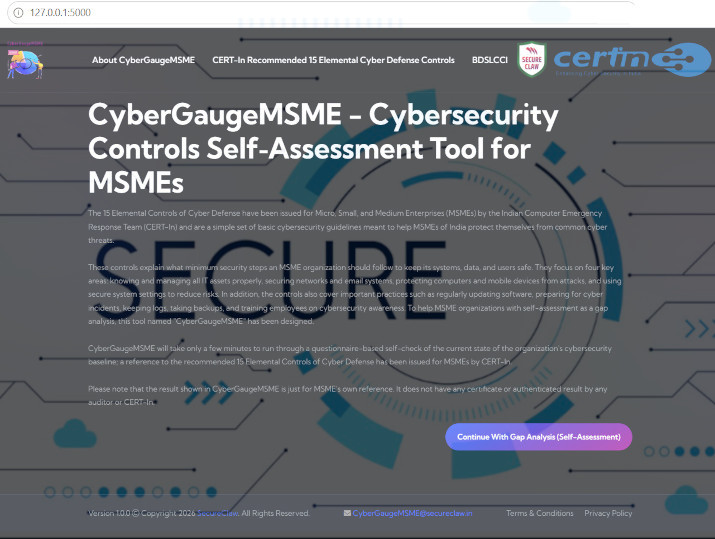
CyberGaugeMSME is a self-assessment software tool designed for Micro, Small, and Medium Enterprises (MSMEs) to evaluate their cybersecurity posture. The assessment is based on the 15 Elemental Controls of Cyber Defense released by CERT-In (Indian Computer Emergency Response Team) in September 2025.
The tool enables MSMEs to understand their current level of cyber preparedness through a structured questionnaire and obtain an assessment result for internal reference and improvement.
It is important to note that the results generated by CyberGaugeMSME are intended solely for internal reference and self-improvement for MSMEs registered in India. Based on the responses provided in the questionnaire, the results displayed herein are generated by CyberGaugeMSME. This outcome is derived purely from a self-assessment exercise. They do not constitute an official audit, certification, or validated assessment by CERT-In, its empaneled auditors, or any recognized certification body. Therefore, MSMEs should refrain from sharing or presenting these results externally - including, but not limited to, clients, business prospects, banks or any financial institutions, insurance providers, any compliance or regulatory authorities, government or non-government entities, or on social media - as they are strictly intended for internal use only. Accordingly, these results should not be interpreted as a definitive or certified assessment of the organization's cybersecurity posture, nor as a final determination of compliance with the CERT-In recommended 15 Elementary Cybersecurity Controls for MSMEs.
INTENDED AUDIENCE
Here are a few key features offered by CyberGaugeMSME which is a Self-Assessment Tool for MSMEs of India.
- Micro Enterprises of India
- Small Enterprises of India
- Medium Enterprises of India
- MSME owners, IT administrators, and cybersecurity coordinators of India
KEY FEATURES
Here are a few key features offered by CyberGaugeMSME which is a Self-Assessment Tool for MSMEs of India.
- Self-assessment aligned with CERT-In's 15 Elemental Controls of Cyber Defense
- Designed specifically for MSMEs
- Works as a local web application
- Secures locally stored assessment data
- Simple reset option to retake the assessment
- Free to use
IMPORTANT DISCLAIMER
Kindly note down below disclaimer about CyberGaugeMSME tool.
- FREE TOOL: CyberGaugeMSME is a FREE tool.
- OFFICIAL DOWNLOAD SOURCE: www.cert-in.org.in or www.SecureClaw.com/CyberGaugeMSME
- Neither CERT-In nor SecureClaw is responsible for downloads from any unofficial or third-party sources.
- Support & Authenticity For authentic downloads, updates, and official information, always refer to: www.cert-in.org.in or www.SecureClaw.com/CyberGaugeMSME
Recommended System Requirements
To ensure optimal performance and secure operation, CyberGaugeMSME is recommended to be used on the following system configuration:
- Operating System:
- Windows 10 (64-bit) or Windows 11 (64-bit)
- Latest security updates and cumulative patches installed
- Hardware:
- Processor:
- Intel Core i3 (8th Generation or later), or
- AMD Ryzen 3 or equivalent
- Memory (RAM):
- Minimum: 4 GB
- Recommended: 8 GB or higher
- Storage:
- Minimum: 500 MB free disk space
- Recommended: 1 GB free disk space
- Processor:
- Software Requirements:
- Recommended Web Browser (latest version):
- Microsoft Edge
- Google Chrome
- Mozilla Firefox
- JavaScript: Must be enabled
- Recommended Web Browser (latest version):
- Display
- Minimum screen resolution of 1280 X 720 for optimal viewing
- Additional Notes:
- The application works as a local web page and does not require continuous internet connectivity after download.
- It is recommended to keep antivirus software enabled for system security.
Installation & Launch
- Download CyberGaugeMSME from the official websites only which are: www.cert-in.org.in or www.SecureClaw.com/CyberGaugeMSME
- After successful download and installation, an application icon named "CyberGaugeMSME" will be visible on your system.
- Click on the icon to launch the tool.
- The application opens as a local web page in your system's default web browser.
First-Time Setup (Set the Company Name to be displayed)
To start using this local application follow company registration for local database:
- On first launch, you are required to set the Company Name to be displayed.
Change company name?
If you want to change the displayed Company Name:
- Delete/uninstall the CyberGaugeMSME application
- Download and install it again from the official website, which are: www.cert-in.org.in or www.SecureClaw.com/CyberGaugeMSME
- Register during first-time setup
Using the Self-Assessment Tool
- Start the MSME Self-Assessment Questionnaire.
- Carefully read each question and select the most appropriate answer.
- Continue until all questions are completed.
Viewing Results
- After completing the questionnaire, the self-assessment results will be displayed. It shows overall risk, which is either low, medium, or high.
- The results display a table explaining the results with the control area and recommendations if risk is not low. The results reflect the organization's cybersecurity posture with respect to the 15 Elemental Controls of Cyber Defense.
Retaking the Assessment
If you wish to perform the self-assessment again:
- Navigate to the Results Page.
- Click on “Reset Results & Begin Self-Assessment”.
- This action clears previous results and restarts the questionnaire.